

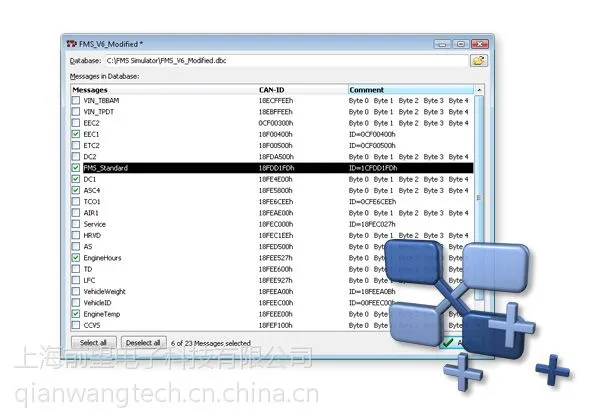
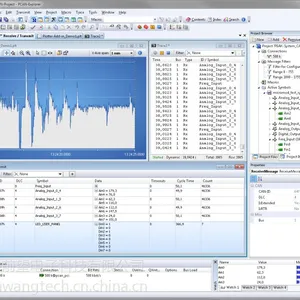
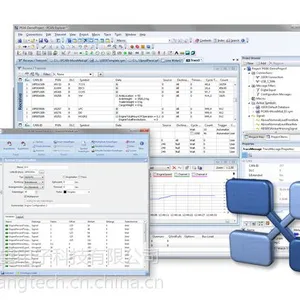

PCAN-Explorer 5是一款多功能CAN总线监测和分析软件。支持创建最多512个网络节点,支持报文收发,支持数据库创建和编辑,支持数据库解析报文,支持J1939数据库,支持线性图工具,支持绘图仪工具,支持仪表盘工具。支持脚本编辑和宏命令,自动完成复杂任务。集成的数据记录仪意味着总线上的数据通讯可被记录、查看和分析。
PCAN-Explorer 5许可证
PCAN-Explorer 5 CAN总线工具peak-system,可以扩展多种功能模块,如CANdb文件,仪表盘,绘图仪插件,j1939插件等
单计算机许可证:有该许可证,你只可在单台计算机上安装和使用该软件。
可移植许可证 + USB拷贝保护软件狗:有这种许可证,你可在多台计算机上安装软件。要解锁和使用软件,你必须插入USB拷贝保护软件狗到计算机的USB端口。
特性
l 所有文件和元素可被管理和保存在工程内
l 工程组件例如CAN连接、符号文件(数据库文件)和宏可清晰显示并排列在工程浏览器上
l 新启动页可快速访问最近打开的工程或文件
l 可同时连接多达16个网络/同类硬件CAN接口
l 连接窗可预览所有连接、全部状态、错误计数器、总线负载等等
l 用户界面上所有元素的所有参数可用属性窗进行检查,并且如果必要,还可编辑
l 多种灵活可变的过滤器可被配置,例如分配去发送/接收窗或者各种不同的示踪器
l 选项卡用于不同窗口之间的切换
l 用停靠窗可灵活布置用户界面
l 用户定义的栏可显示和排列在发送/接收窗中
l 用相应插件支持J1939
l 接收报文显示器显示ID、长度、数据字节、所接收报文的数量和接收间隔
l 同时用十六进制和符号表示报文细节
l 显示远程帧、CAN控制器状态报告、可选显示CAN总线错误帧
l 超时记录
l 以可调的时间间隔、手动或作为应答远程帧来发送报文
l 报文可创建为发送列表,按要求保存和加载,可用作仿真CAN节点
l 定期发送,精度达到1ms
l 用集成的文本编辑器和语法加亮显示功能轻松创建符号文件和宏
l 通过观察窗口,用户友好地实时监测多个信号
l 用户指引和界面与PCAN-Explorer版本4比有大幅改善
l 用户界面语言可以切换(英语/德语)
l 简化集成外部工具
l 集成插件以升级功能
集成的、可配置的PCAN-Explorer数据记录仪特性
l 同时操作多个示踪器
l 可变的缓存大小
l 可选线性缓存或环形缓存
l 表示记录的报文含时间戳、类型、ID、长度和数据字节
l 记录可能已经发生的错误
l 灵活的数据存储功能,以文本格式记录的数据可导入为Excel或同类格式
l 导出记录的数据为CSV文件
l 通过符号定义可过滤记录报文
l 通过不同的符号文件,后续查看记录在缓存内的数据
集成Vbscript语言的PCAN-Explorer功能升级
l 使用Vbscript在集成的文本编辑器中创建宏
l 通过PCAN-Explorer对象模型,用宏和脚本访问几乎所有程序元素
l 特别适合于创建测试工具,用于实施或者开发CAN系统。
l 分配功能键,单独发送报文或宏
l VBS scripts运行于即使没有PCAN-Explorer界面的情况下
Features
All files and elements can be saved in projects and administered using the project browser
New start page allows fast access to the most recently opened projects or files
Simultaneous connections with multiple networks/CAN interfaces of the same hardware type
Connection window with an overview of all connections, complete with status, error counters, bus load, etc.
All parameters of all elements in the user interface can be examined using a Property Window and edited if necessary
Multiple flexible filters can be configured and, for example, assigned to the send/receive window or the various different tracers
Tabs to switch between the different windows
Flexible arrangement of the user interface using the dockable windows
User-defined column display and arrangement in send/receive window
Display of received messages showing the ID, length, data bytes, number of messages received and receiving interval
Simultaneous hexadecimal and symbolic representation of the details
Display of remote frames, status reports of the CAN controller and, as option, CAN-bus error frames also
Logging of time-outs
Sending of messages at fixed intervals of time, manually or as reply to remote frames
Messages can be created as send lists, stored and loaded as desired, in order to e. g. emulate CAN nodes
Periodical sending with up to 1 ms precision
In the Item Browser CAN networks, symbols, macros etc. are represented clearly and in a structured manner
Easy creation of symbol files and macros using the integrated text editor with syntax highlighting
User-friendly real-time monitoring of several signals via the watch window
Extensive improvements to user prompting and user interface
Add-in support to upgrade functionality
Simple integration of external tools
PCAN-Explorer Data Logger
Integrated into the configurable PCAN-Explorer
Operation of multiple tracers at the same time
Variable buffer size
Optional linear buffer or circular buffer
Representation of the logged messages with time stamp, type, ID, length and data bytes
Logging of errors that have occurred is possible
Flexible storage possibility for the logged data in CSV or text format for easy import into Excel or similar Filtering of the messages for logging through symbol definitions
Subsequent examination of the logged data in the buffer via different symbol files
PCAN-Symbol Editor
Symbolic representation of CAN messages through the assigning of alphanumeric names
The graphic representation of symbols and the automatic error detection allow easy creation of symbol files
Bit-exact division of the data into variables for assigning name, data type, list of values, scaling, Offset etc.
Supports data processing in accordance with IEEE 754 as well as in the Intel and Motorola format
The Item Navigator and the search function allow targeted access to all elements of the symbol files
Importing of CANdb files into the symbol data format and vice versa (requires the PCAN-Explorer CANdb Add-in)
VB Script Language
Function upgrade of the PCAN-Explorer
Creation of macros in Vbscript with the integrated text editor
Access with macros and scripts to almost all program elements via the PCAN-Explorer object model
Ideal for creating test tools to implement or develop CAN systems
Examples: sending of e-mails when a temperature is exceeded, starting of a test tool when a particular message is received, opening of an Excel sheet when an event occurs and saving of data in the individual cells
Assignment of function keys with individual send messages or macros
VBS scripts run in the background even without the PCAN-Explorer interface
System Requirements
Windows? 8, 7, Vista, XP (32/64Bit)
at least 512 MB RAM from 1 GHz CPU

上海前望电子科技有限公司,主要提供如下产品: 1.工业和汽车行业通讯产品,各种现场总线和工业以太网解决方案,涵盖CAN协议,美国totalphase usb分析仪,CANopen协议,DeviceNet协议,SAE J1939协议,TCP/IP协议栈,USB协议栈,can-pcie/402-B4,Ethernet/IP协议,can-pcie/402-B4-fd,c.2045.08,c.2045.68,esd can-pcie/402,beagle usb 5000V2协议等 beagle usb 480,totalphase beagle 5000v2 pcan-usb,peak-system 德国peak公司PCAN-usb系列产品,德国ixxat公司can接口设备usb-to-can compact,can中继器,can网桥设备,can网关设备。德国ISystem公司IC5700芯片仿真器,德国ESD公司can-pcie/402系列产品,IO设备,网关设备,EtherCAT设备,挪威bridgehill防火毯,电动汽车灭火毯,法国leader stop防火毯,城市搜救设备,
点击查看>| 企业类型 | 有限责任公司(自然人独资) | 注册资本 | 100.00万人民币 |
| 公司注册地址 | 上海市长宁区哈密路1955号5F-240室 | 统一社会信用代码 | 913101053014893729 |
| 登记机关 | 长宁区市场监管局 | 法定代表人 | 汪静云 |
| 公司成立日期 | 2014-05-23 | 营业期限 | 2014-05-23 至 2034-05-22 |
| 经营范围 | 从事电子科技领域内的技术开发、技术转让、技术咨询、技术服务;销售机械设备、教学设备及软件、自动化设备、通信设备(除卫星电视广播地面接收设施)、办公用品、仪器仪表、计算机软硬件;商务咨询;从事货物进出口及技术进出口业务。 【依法须经批准的项目,经相关部门批准后方可开展经营活动】 | ||
-
¥1.2万
-
¥1.8万
-
¥18万
-
¥28万
-
¥18万
-
¥1.8万
-
¥23万
-
¥23万
-
¥2300.00
-
¥2800.00
-
¥2300.00
-
¥3600.00
